Creating a share
Admin portal
Data can be shared from supported devices via the admin portal. Open the device's More actions menu and choose Shared access under Connectivity. Check the device shown in the dialog, then choose the message type and time period to share.
The dialog defaults to Last 1 hour in your local timezone. Use Quick time range or edit the start and end times to select a period of up to 24 hours. See time selection for UTC/local input and supported paste formats.
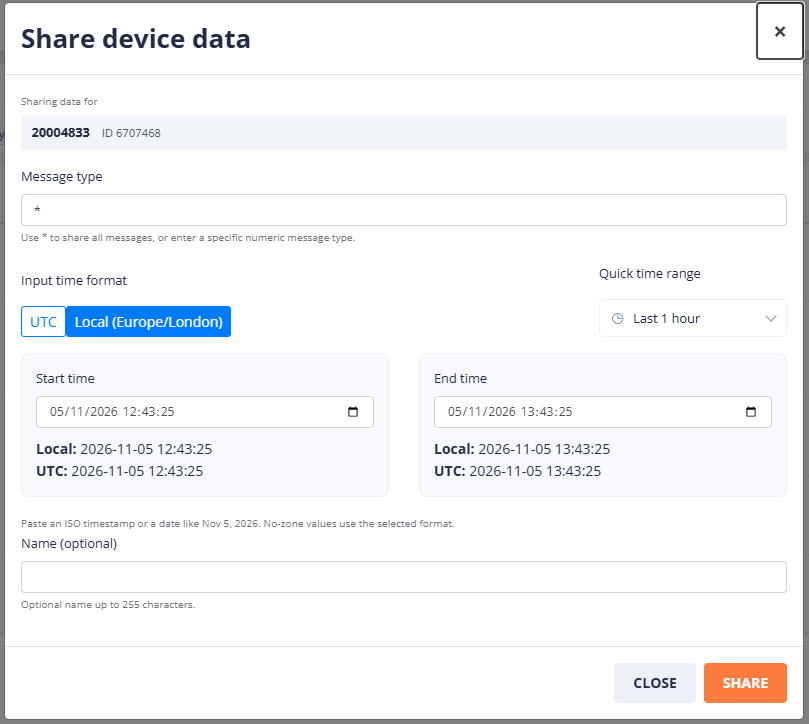
Click Share, then use Copy or Open share. Anyone with the link can view the shared data without signing in.
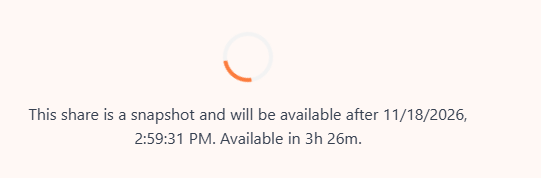
If the selected end time is in the future, the share link is created now, but its snapshot data is available only after that time. Opening the link early shows a waiting countdown; when the countdown ends, the page retries preparation. It does not show a live stream. A future start time is not supported.
Message headers
It is also possible to open up V3 messages to the share system by adding a custom header to the message when sending it to the chasm.
For more information on how to do this, please contact us.